
Find Recipes by Ingredient in Your Saved Cookbook
Find dinner ideas from ingredients on hand, search saved recipes, and turn supported cooking videos into usable recipe cards with Buttter.
By Buttter ·

A saved cooking clip can inspire an entire evening, but it often leaves you without the specific details needed at the counter. That gap between saving a food video and having a recipe you can cook is where Buttter helps: on iPhone and iPad, it turns supported social posts, including videos without written recipes, into structured steps, then helps you find dishes from ingredients you already have. Bookmarking a fast dinner idea on a social platform usually captures a video file or a link rather than a searchable list of components. Two weeks later, when a specific vegetable or protein needs to be used up, that saved video does little to answer the immediate question of what to cook. Bringing those collected ideas together requires a system that makes their contents fully searchable.
Google's recipe structured-data guidelines list separate recipeIngredient and recipeInstructions properties for ingredients and preparation steps, and say structured data helps Google understand recipe content. For example, a cup of diced onions belongs in the ingredient list, while sautéing them until golden belongs in the instructions.
Buttter bridges this gap between internet inspiration and a usable format. Available for iPhone and iPad, the app processes supported posts and videos to extract structured ingredients, precise quantities, and numbered steps. You can save recipes from TikTok, Instagram, YouTube, and traditional websites, pulling every idea into one personal vault.
Organizing that collection means you stop relying on memory to match the food in your kitchen with the ideas you saved online. Searching your collection for an ingredient on the counter brings up every saved dish that uses it. Instead of scrolling through hundreds of generic platform bookmarks while fresh produce slowly wilts, you query a curated catalog assembled around your personal preferences, dietary needs, and household cooking habits.
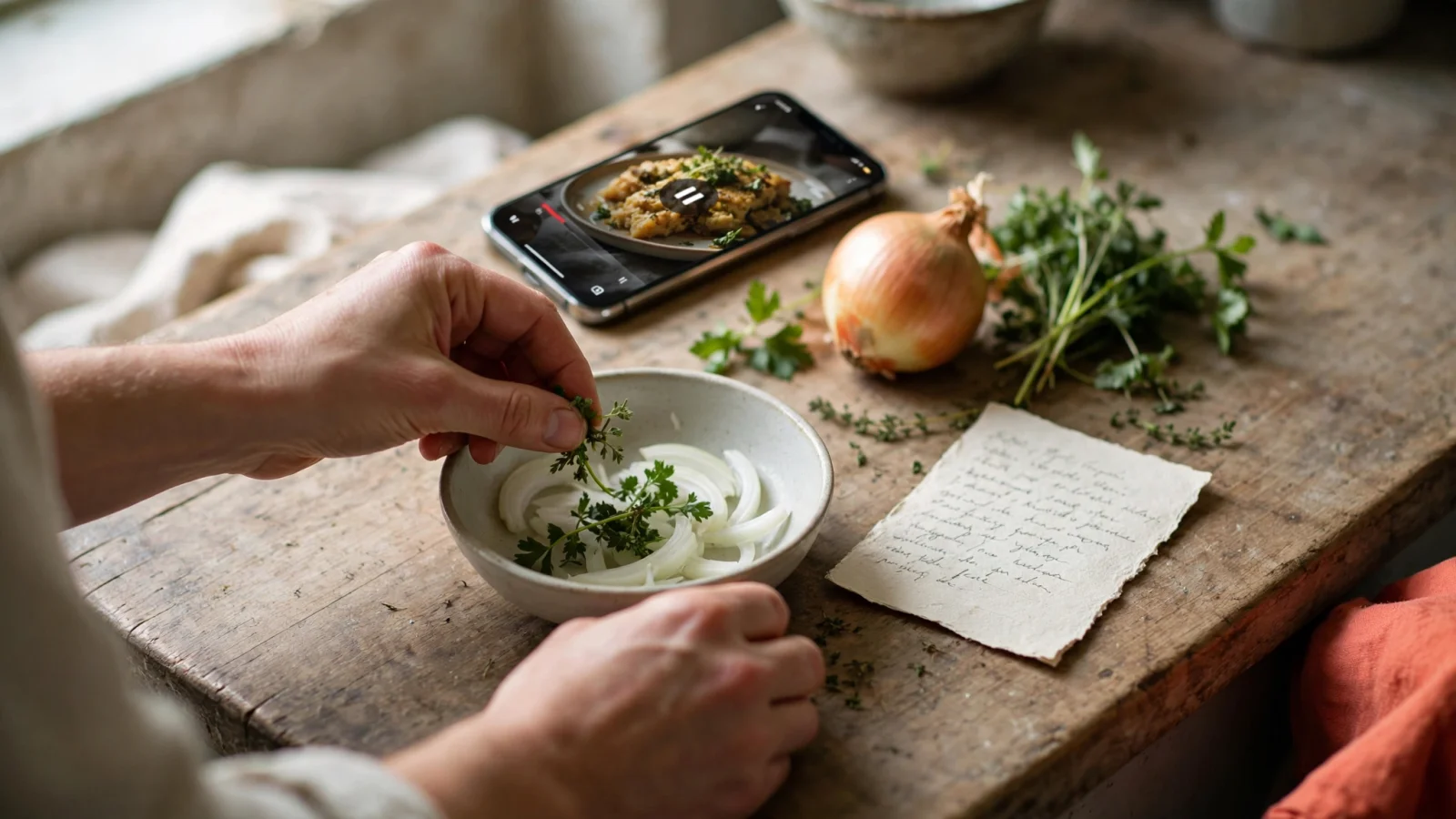
Step 1: Start With the Ingredient You Most Want to Use
Typing every item in your refrigerator into a search bar rarely produces a helpful result. Most recipe databases treat a long string of terms as a highly restrictive query, returning only the exact matches that demand every item entered. When you want to find recipes by ingredient, beginning with a single constraint keeps the results manageable and generates a much broader list of candidates to review.
Choose the one item that dictates tonight's meal, whether it's a perishable item in your crisper drawer, such as a bag of spinach, or the primary protein already thawed for the evening. Highly perishable greens, fresh seafood, and opened dairy products are best used soon, while shelf-stable pantry items like dry rice, canned tomatoes, and cooking oil can wait for another week. Typing that single perishable item into your cookbook's search tool brings up a wide list of options, helping you remember meals you forgot you saved instead of artificially narrowing your choices before you see them.
If that initial query brings back too many possibilities, adding a second term refines the list. Entering "spinach" might return forty different dishes ranging from heavy winter stews to light summer salads, but adding "eggs" narrows the field to breakfast bakes, frittatas, and quick scrambles. A focused, sequential search is much easier to adjust than a broad query containing every condiment and vegetable you own, reducing decision fatigue by giving your search a clear direction.
Consider how ingredients interact within your search tool. If you search for both chicken breast and fresh basil, you prioritize recipes that highlight that aromatic pairing. If that pairing turns out to be too narrow, swapping basil for garlic opens up entirely different culinary styles, from creamy pasta bakes to skillet curries. Moving systematically from a primary perishable anchor to a secondary accent ingredient lets you explore your personal recipe archive without running into dead ends.
Step 2: Search Your Saved Cookbook and Narrow the Results
Starting a new web search for an ingredient often leads to unfamiliar blogs, untested ratios, and long pages formatted for algorithms rather than home cooks. Searching your saved Buttter collection first helps you rediscover the website links, social posts, screenshots, and food photos you previously vetted and wanted to eat. Since you built this collection around your own tastes, it remains a reliable place to look for dinner. Buttter turns supported social posts and videos into structured recipe cards, so its searchable cookbook can surface saved dishes by ingredient, rather than only by creator or platform.
Browsing an open search engine exposes you to thousands of uncurated results, many of which require obscure specialty ingredients or equipment you do not own. In contrast, querying your personal archive resurfaces dishes that already aligned with your kitchen skill level and flavor preferences when you chose to save them. Rediscovering a sheet-pan dinner or a high-protein bowl you saved three weeks ago saves mental energy and eliminates the hesitation that comes with testing an unverified online formula on a busy weeknight.
After entering your target ingredient, filters help shape the results around the realities of your evening. A query for chicken might yield everything from an all-day weekend roast to a ten-minute stir-fry, so applying a time constraint removes the options that do not fit your current schedule. A well-organized database allows you to filter by meal type, total cooking time, cooking method, or specific dietary preference.
The Purdue Extension recipe page lets users search by specific ingredients or filter recipes by categories such as dinner, 30 minutes or less, and pantry-friendly meals. That gives cooks a choice between starting with an ingredient and starting with a meal category.
Layering these constraints prevents common planning pitfalls. When you only have thirty minutes before evening commitments begin, searching for ground beef while toggling a quick-cook filter immediately excludes multi-hour chili recipes or slow-simmered bolognese. Filtering by cooking method also lets you work around your kitchen setup, steering you toward skillet meals on days when your oven is occupied or directing you toward slow cooker ideas when you need dinner ready the moment you walk through the door.

Step 3: Check the Full Recipe Before Choosing Dinner
A search result confirms that a recipe includes your target ingredient, but it does not guarantee the dish uses your exact available quantities or requires zero additional shopping. Opening the full recipe card to review the complete list of requirements prevents unexpected trips to the grocery store mid-preparation.
Reviewing the exact quantities requested ensures your inventory matches the directions. Discovering you have half a cup of heavy cream when the meal demands a full pint means you must either adjust the proportions or buy more supplies. Scanning the rest of the component list confirms you have the necessary pantry staples, spices, and secondary vegetables. Checking these details takes less than a minute, but it avoids the frustration of realizing halfway through cooking that a sauce relies on chicken stock or fresh lemons you do not possess.
Hidden timing steps can also disrupt your dinner plans if you only read the ingredient names. A recipe might feature chicken thighs and soy sauce, but reading the full method could reveal that the meat requires a two-hour marinade in the refrigerator or that root vegetables need forty-five minutes of pre-roasting. Checking the preparation steps alongside the ingredient list ensures the dish matches your available time and kitchen bandwidth.
If a few minor items are missing, Buttter can send those requirements directly to Apple Reminders, Things 3, or Todoist for a quick shopping trip. Exporting missing items directly into your preferred checklist app keeps errands organized, allowing you to grab the exact missing shallot or block of cheese without wandering through grocery store aisles guessing what your recipe calls for.
Adjusting the serving size before preparing the food keeps your yields accurate without requiring guesswork. Buttter scales quantities automatically when the serving count changes, saving you from doing mental fraction math while chopping vegetables. Halving a tablespoon of ground cumin or multiplying a three-quarter cup measurement for four people happens instantly within the card, protecting you from common kitchen calculation errors.
Buttter automatically provides nutrition details for the meal based on standard databases, which can help with weekly planning, tracking macronutrients, or balancing meals. The figures are estimates, not a strict dietary audit. Once you've chosen a recipe and gathered the supplies, cook mode keeps your screen awake and your instructions easy to read from a distance, preventing food-covered fingers from constantly locking your phone display.
If Nothing Fits, Broaden the Search or Generate a New Idea
Your saved collection might lack a match for the specific combination of items on your counter. When a search for two distinct ingredients returns an empty screen, removing the secondary term broadens the possibilities. If a query for "ground turkey" and "cabbage" yields zero results, dropping the cabbage might reveal a great turkey burger recipe for the main course. The cabbage can then become a side salad, saving you from forcing both items into a single pan.
When saved recipes offer no appealing options, broad recipe formats can help use up food before it spoils. The Wisconsin Department of Natural Resources lists omelets, pastas, soups, stews or chili, and hot dishes or casseroles as go-to options for that purpose.
A garlic butter chicken stir fry accommodates whatever wilting bell peppers or leftover snap peas you need to clear out of the refrigerator, forgiving imperfect ratios and accepting substitute vegetables without fuss. Flexible templates tolerate varying moisture levels and cooking times, letting you sauté hardy vegetables first while folding in delicate leafy greens right before serving. Embracing these forgiving formats lowers household food waste, keeping usable produce out of landfills and trimming your monthly grocery expenditure.
When you prefer a structured recipe but your saved cookbook comes up short, shift from searching past saves to generating a new idea. Searching past saves helps you locate recipes you already reviewed, whereas generating creates an entirely original recipe card based on the exact components in front of you. Buttter features a separate generation flow designed for this exact problem.
Typing the random assortment of ingredients you possess, or sharing a photo of your open fridge and pantry, allows the application to process those inputs and generate a new dish. Functioning as an immediate brainstorming partner, this tool matches outputs to your stated dietary preferences, though these settings do not guarantee the resulting dish is medically safe for severe allergies. This generation feature operates independently from your saved cookbook, providing fresh options when your existing collection runs dry.
Photo generation is particularly effective when you have half-used jars, open cheese packages, and miscellaneous vegetables scattered across different refrigerator shelves. Snapping a photo captures items you might forget to type out, allowing the software to propose an integrated meal concept that pulls those stray items into a unified dinner. Review the resulting suggestions, verify that you possess the necessary seasonings and cooking oils, and proceed with cooking an inventive meal without leaving home.
Frequently Asked Questions
How do I find recipes using ingredients I already have?
Start by identifying the most important or perishable item you want to use, and type that single word into your personal recipe manager. Prioritize fresh proteins or greens that will spoil quickly over shelf-stable staples like pasta or canned beans. Review the resulting list to see broad options, then add a second ingredient or apply a filter for cooking time to narrow the choices down to a manageable few. Checking your existing collection of saved meals before searching the broader web ensures you find dishes you already vetted and know you enjoy.
Once you identify a promising option, open the full recipe card to verify the required quantities, total active cooking time, and necessary seasonings before turning on your stove. If minor secondary ingredients are missing, use a flexible substitution or export those missing items into your reminder app for a quick market run.
Can I search my saved recipes by ingredient?
Yes, provided your saved items are stored as structured data rather than flat images or plain hyperlinks. Standard web bookmarks and platform saves only store raw URLs or video files, making internal components invisible to basic search bars. Buttter parses supported website links and social media videos into discrete fields for ingredients, quantities, and steps, which makes your entire vault fully searchable.
Typing the name of the food into the search bar prompts the application to display every saved dish that includes it. This searchable index spans content imported from TikTok, Instagram, YouTube, and digital food blogs, letting you cross-reference your entire digital recipe collection in seconds.
How do I proceed when no recipe matches everything I have?
Remove your least important search term and try looking for a match based solely on your main protein or primary vegetable. Combining too many specific search terms often yields zero results because few recipes call for the exact combination of produce resting in your kitchen. Dropping non-essential items opens up broader recipe matches, allowing you to prepare the primary component as a main dish while serving surplus produce as a simple side.
If your saved collection still lacks a good fit, pivot to a flexible meal format like a stir-fry, frittata, or fried rice, which readily accepts a wide variety of substitute vegetables and leftover meats. Alternatively, use an AI generation tool to suggest a brand-new dish based on the exact combination of items you possess.
Can I turn a cooking video into a recipe with ingredients and steps?
Yes, Buttter handles this conversion for supported posts and videos across major platforms. When you share a cooking clip from YouTube, Instagram, or TikTok to the app, it extracts the necessary information and builds a structured recipe card. This capability solves the common problem of short-form food videos moving too quickly for home cooks to follow at the stove.
This process works even for many videos that lack a formal written recipe in their captions, giving you a clean, step-by-step guide you can use in the kitchen. Once converted into a structured card, the recipe's ingredients become fully searchable across your personal catalog, and you gain access to automatic serving scaling, estimated nutrition details, and cook mode.
Is searching saved recipes different from generating a new recipe?
Searching your saved recipes relies entirely on the links, videos, and photos you previously collected and vetted yourself. This process acts as a personal discovery filter, pulling up dishes that matched your specific tastes when you chose to bookmark them in the past. Searching your vault helps you find instructions, flavor profiles, and techniques from recipes you already approved.
Generating a new recipe creates a set of instructions from scratch based on a list of items you provide in the moment. Searching helps you rediscover past inspiration, while generation provides a creative fallback when your personal vault does not contain a suitable match for your current inventory. The generation tool designs novel dishes around the unique ingredients and dietary preferences you supply, acting as a culinary problem-solver for irregular leftovers.
Can I get recipe ideas from a fridge or pantry photo?
Yes, Buttter includes a feature that analyzes a photograph of your available food and suggests potential meals. Snapping a picture of your open refrigerator shelves or pantry organization lets the application identify the visible items to generate a matching dish. This visual approach eliminates the need to manually type out every individual condiment, produce item, and protein you have on hand.
This capability works alongside your dietary preferences to brainstorm dinners without requiring you to manually type out every individual jar and vegetable you own. The generated recipe presents structured ingredient amounts and step-by-step cooking instructions tailored to the photographed items. Before cooking, check the proposed steps and make sure common seasonings, oils, and cooking liquids are available.
Stop losing track of the meals you want to make. Download Buttter for iPhone and iPad to turn your favorite social media cooking videos into structured, searchable recipes, and find dishes that use the ingredients you have on hand. Buttter also offers automatic nutrition estimates, serving scaling, cook mode, and a handoff for missing items to shopping-list apps, so your saved inspiration can support more of the cooking process from planning through dinner.
