
How to save a recipe from a YouTube video
A great cooking video is a terrible recipe card. Here’s how to turn a YouTube video or Short into a written recipe you can follow at the stove.
Updated October 18, 2026
Convert a YouTube video to a recipe
- Open the video. In the YouTube app, open the cooking video or Short and tap Share.
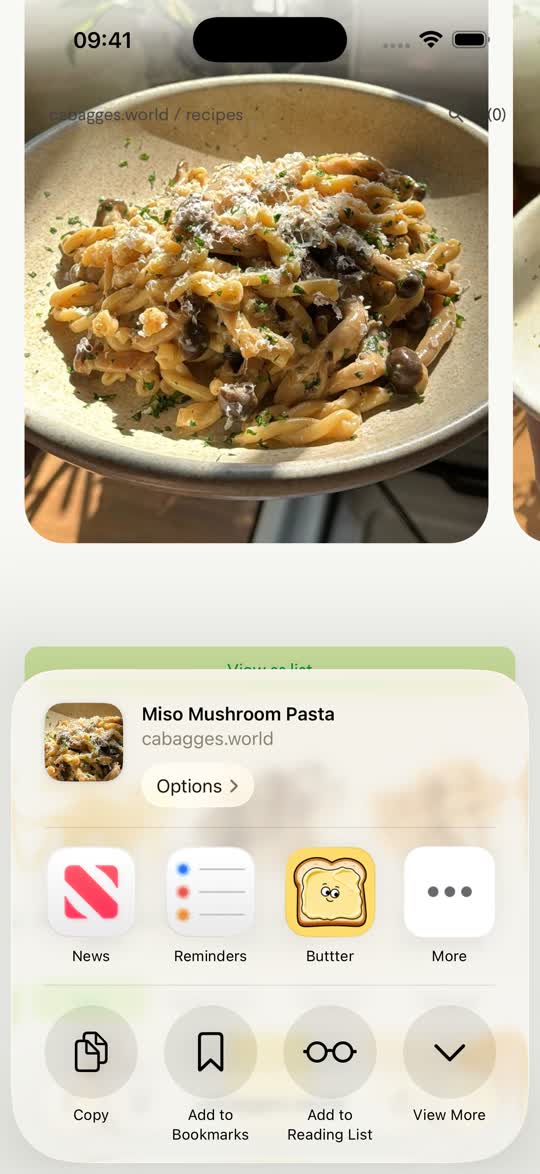
- Choose Buttter. Pick Buttter from the iOS share sheet (tap More if you don’t see it), or tap Copy link and paste it into Buttter’s Import screen.
- Let Buttter write it out. Buttter reads the description, the video’s captions and any recipe page the creator links to, then writes a clean recipe with ingredients, amounts and steps.
- Cook without scrubbing. Follow the numbered steps in cook mode instead of rewinding the video with floury hands.
Where the recipe comes from
YouTube recipes hide in a few different places, and Buttter checks all of them:
- The description box. Many creators paste the full ingredient list there.
- A linked recipe page. If the description links to the creator’s blog, Buttter can follow it and use the written recipe.
- What’s said in the video. When the recipe is only spoken, Buttter uses the video’s captions (the creator’s subtitles, or YouTube’s automatic ones) to write it out.
- What’s shown on screen. For Shorts and short videos, Buttter also looks at key frames, so on-screen text and visible ingredients count.
Shorts vs long videos
Shorts behave like TikToks: quick, often caption-less, with the recipe shown rather than written. Buttter looks at the video itself as well as the text.
Long videos (think 15-minute cook-alongs) usually say the recipe out loud or link it in the description, so Buttter relies on the captions, description and linked page. If a long video has none of those, there is simply nothing written to work from; try the creator’s website instead.
Other ways to save a YouTube recipe
- Watch Later or a playlist. YouTube’s Save button keeps the video handy, which is great for rewatching technique. It doesn’t give you a shopping list or let you scale the recipe.
- Timestamps. Helpful when the creator adds chapters, but you’re still cooking from a video.
- Copying the description. Works when the full recipe is there; often it’s just affiliate links.
Tips for better YouTube imports
- Share the exact video. A playlist or channel link isn’t one recipe; open the specific video first.
- Automatic captions can mishear. “Fifteen” and “fifty” sound alike. Glance at amounts and temperatures before you cook.
- Units your way. Choose metric or imperial in Settings and imports arrive converted, so a US video’s cups can come through in grams.
After saving
Scale servings, read nutrition, and send the ingredient list to Apple Reminders, Things 3 or Todoist in one tap. Saving from other apps too? See TikTok and Instagram.
Questions, answered
Can Buttter save a recipe from a YouTube Short?
Yes. Share the Short to Buttter or paste its link. Buttter reads the text and also looks at the video itself, so on-screen ingredients count.
What if the recipe is only spoken in the video?
Buttter uses the video’s captions, either the creator’s subtitles or YouTube’s automatic ones, to write the recipe out. Check amounts, since automatic captions can mishear.
Does it follow the recipe link in the description?
Yes. If the description links to a recipe page, Buttter can use the written recipe from that page.
Can I import from YouTube on a computer?
No. Buttter is an iPhone and iPad app. Share or paste the link on your phone or iPad.
